
Guides ·
How to open your Obsidian vault in another app
Maybe you're on a computer without Obsidian, you want a second app to read in, or you're trying something new. An Obsidian vault isn't a special format: it's a folder of plain .md files, plus a hidden .obsidian folder where Obsidian keeps its own settings. Any app that reads Markdown can open the notes.
What usually gets lost is everything between the notes: [[links]], backlinks, callouts, highlights. Here is how to keep them.
The quick way: in Rho MD (free on Windows, Mac and Linux), open the Psi panel, click Chart Folder… and choose your vault folder.
Download Rho MD — freeStep by step
1. Install Rho MD and open it. It's free and needs no account. The first time, it asks you to choose a Psi folder, the place where new notes are saved. Choose your vault there if you want new notes to go into it.
2. Open the Psi panel and click Chart Folder… Psi is the first button under the Rho MD logo, in the bar on the left. Chart Folder… is the folder with a plus in the row of buttons above the list.
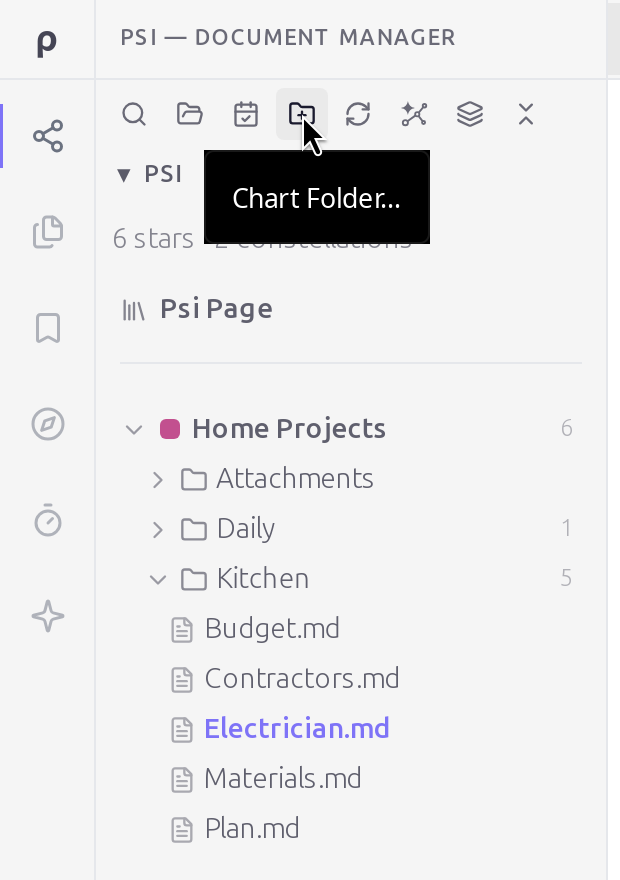
3. Choose your vault folder, the one that holds your notes and the .obsidian folder. Rho MD reads the notes where they are; nothing is copied, moved or converted. The vault's folders appear in the panel with the number of notes in each. The .obsidian folder isn't shown.
4. Click a note to open it.
What works the way it does in Obsidian
- Links.
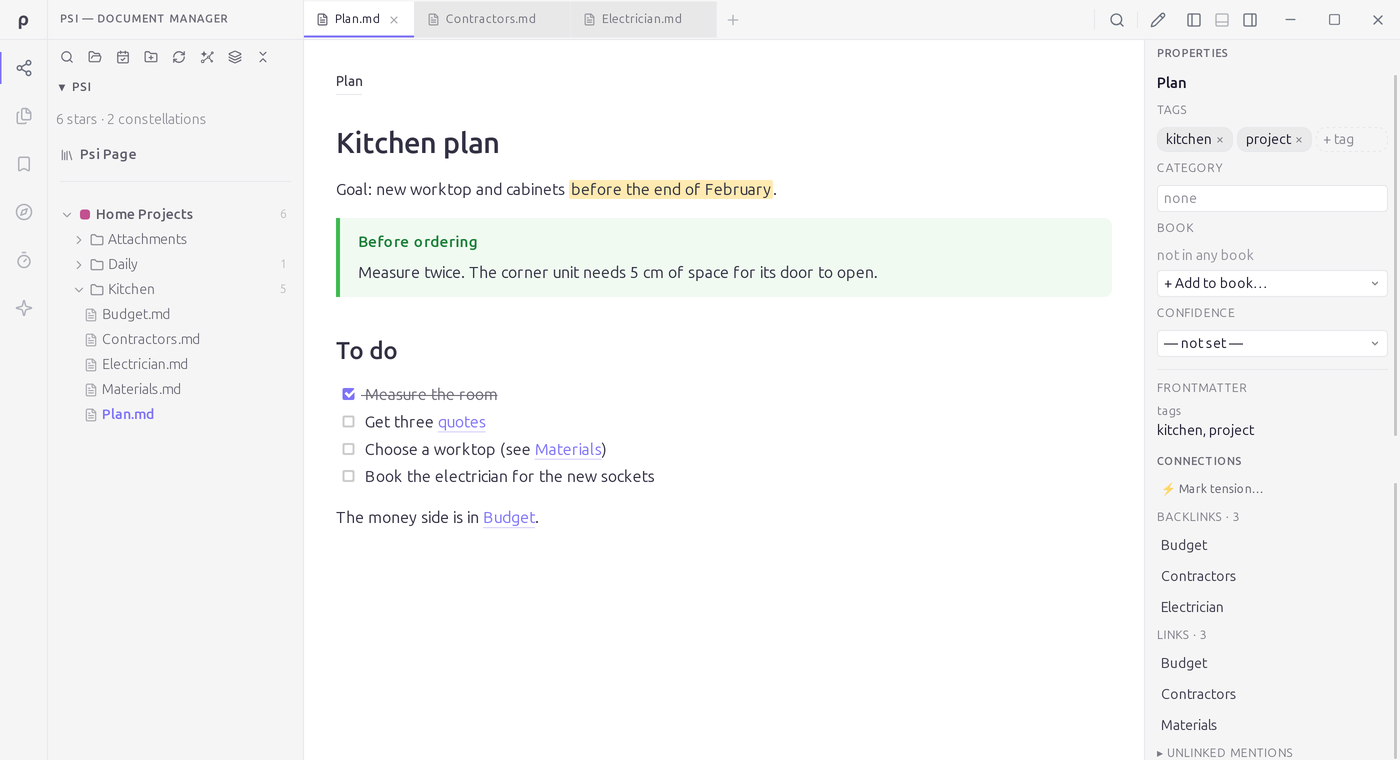
[[Budget]]opens the Budget note. Links to a heading and links with their own text, like[[Contractors#Quotes|quotes]], work too, and they stay in the file exactly as you wrote them. - Backlinks. Open the side panel (the right-most of the three panel buttons at the top right) to see which notes link to this one, and which notes it links to.
- Callouts and highlights.
> [!TIP],> [!NOTE]and> [!WARNING]show as coloured boxes, and==text==is highlighted. - Tasks.
- [ ]lists show as checkboxes. Ticking one saves- [x]in the file, the same as Obsidian. - Tags in properties written as
tags: [kitchen, project]show as tags on the note. - Images written the standard way, like
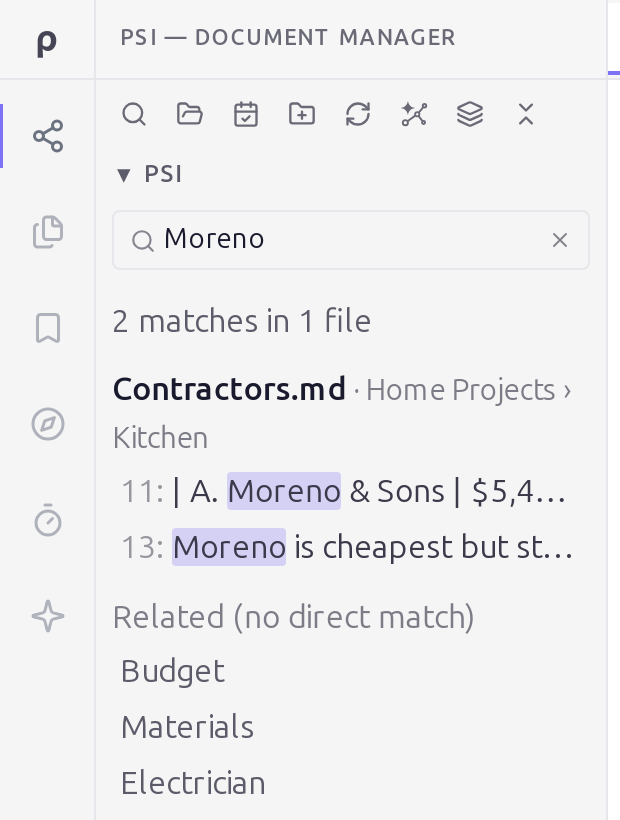
, show in the note. - Search. The magnifier at the top of the Psi panel searches every note in the vault and shows the lines that match.
What doesn't carry over (yet)
- Embeds.
![[kitchen-sketch.png]]and![[Another note]]show as a link to the image or note, not the image or note itself. - Some tags.
#tagswritten in the text, and tags saved as a list on separate lines (tags:followed by- kitchenon the next line), stay in your notes but aren't collected as tags. - Plugins. Community plugins run only in Obsidian. A Dataview query shows its query text instead of a table.
Does it change my vault?
No. Rho MD keeps its index of your notes in its own files, outside the vault. We checked every file in a test vault, .obsidian folder included, before and after charting it and reading every note: nothing was added and nothing changed. A file changes only when you edit a note or tick a task.
Just need to open one file? See how to open a .md file. Need to send a note to someone who doesn't use Markdown? You can turn it into a PDF on Windows or Linux.
Questions
Will Rho MD change or move my notes?
No. It reads the notes where they are and keeps its index in its own files, outside the vault. A note changes only when you edit it or tick a task, and a ticked task is saved as the same "- [x]" Obsidian uses. The .obsidian settings folder is left alone.
Can I keep using Obsidian on the same vault?
Yes. Both apps work on the same .md files. When a note is changed outside Rho MD, the open copy updates.
Do my Obsidian plugins work?
No. Community plugins run only inside Obsidian. A note that depends on one, such as a Dataview query, shows the query text instead of its result.
Do I need an account?
No. Rho MD is free and works without an account.
Can I open the vault on my phone?
Not as a whole vault yet. On iPhone, iPad and Android, Rho MD opens single .md files, but you can't point it at a vault folder.
More than Markdown. Read, write and organize notes in the folders you already have. Rho MD is free.
Download Rho MD — free