
What Rho MD does.
Five things, each on a plain .md file you own.
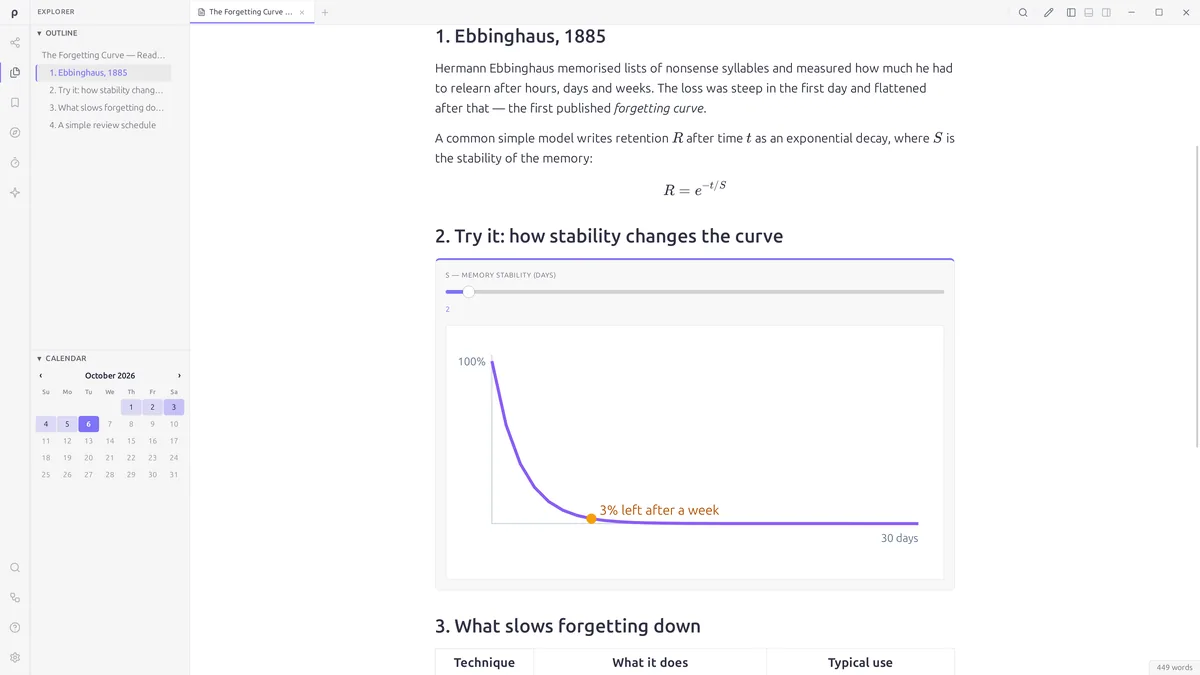
Read
Read, beautifully.
- Book-quality typography for
.md,.mdxand.markdownfiles, in light or dark - Math, flowcharts, tables and code with syntax highlighting
- Book layout for long documents: read by pages, not one endless scroll
- Callouts that fold, and figures that number themselves
- Highlight as you read; bookmarks and an outline keep your place
Book wikis and published documents are free to read in your browser, too — Rho Library →
Examples
Documents that run.
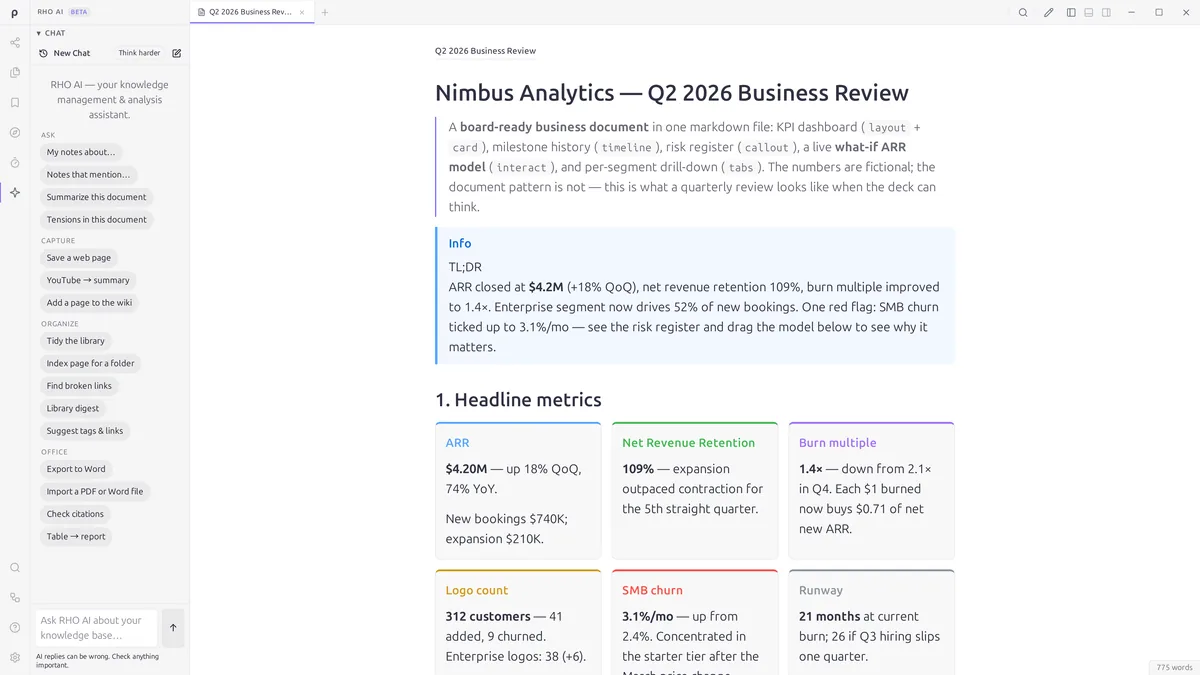
A Rho document can hold sliders, charts and steps. The reader drags; the page recalculates. It is still one plain .md file.
Charts that run — inside the file.
This is a plain .md file. Rho MD turns its blocks into things you can drag.
How much could you save?
Three sliders drive a compound-interest curve, live.
The bell curve
Drag the mean and spread; the distribution responds.
A quiz that grades itself
Multiple choice, fill-in — scored on the page, no backend.
Binary search, step by step
Walk an algorithm at your own pace, not a video’s.
Fourier, drawing itself
Circles on circles build a square wave — add harmonics with the slider.
Go or no-go?
Three sliders, one verdict — the boolean logic runs in the open.
Write
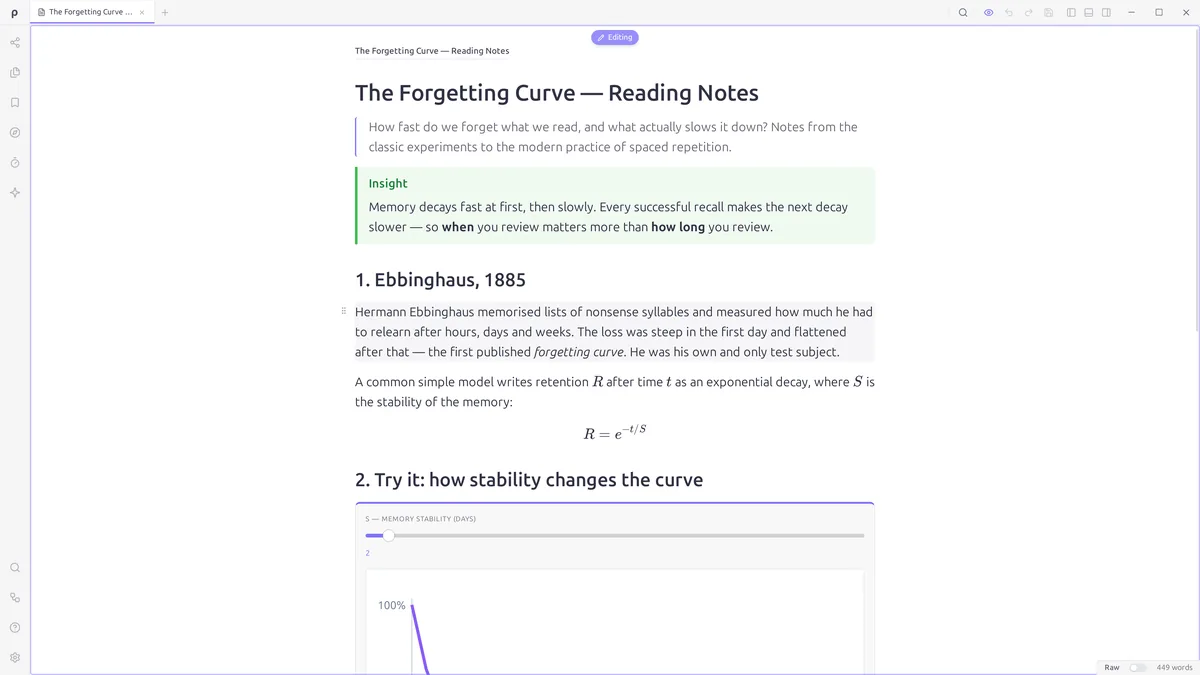
Write in place. Or in source.
- Click any paragraph and type — the page is the editor
- Click a formula and change it in place, no LaTeX needed
- Type / to insert a block or a table; find and replace
- Paste from ChatGPT, Google Docs or Notion and keep the formatting
- Switch to the Markdown source at any time
- Canvas boards for mind maps and flowcharts, saved as plain Markdown
Organize your knowledge
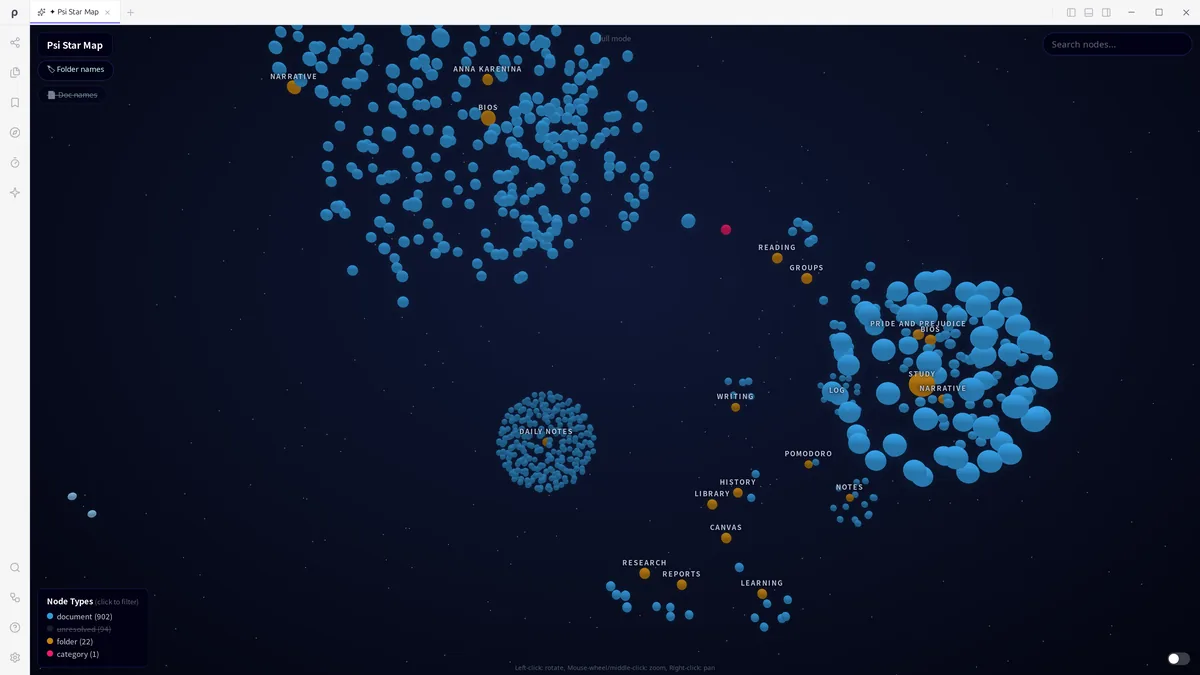
Your knowledge, as a star map.
- Psi, the built-in library: every note in one place, sorted by project
- The star map: notes as stars, links as the lines between them
- Links, tags, daily notes and full-text search
- A home page with today's note, your focus and your recent files
- Lock what's private: a password to read, or only to edit
Manage your time
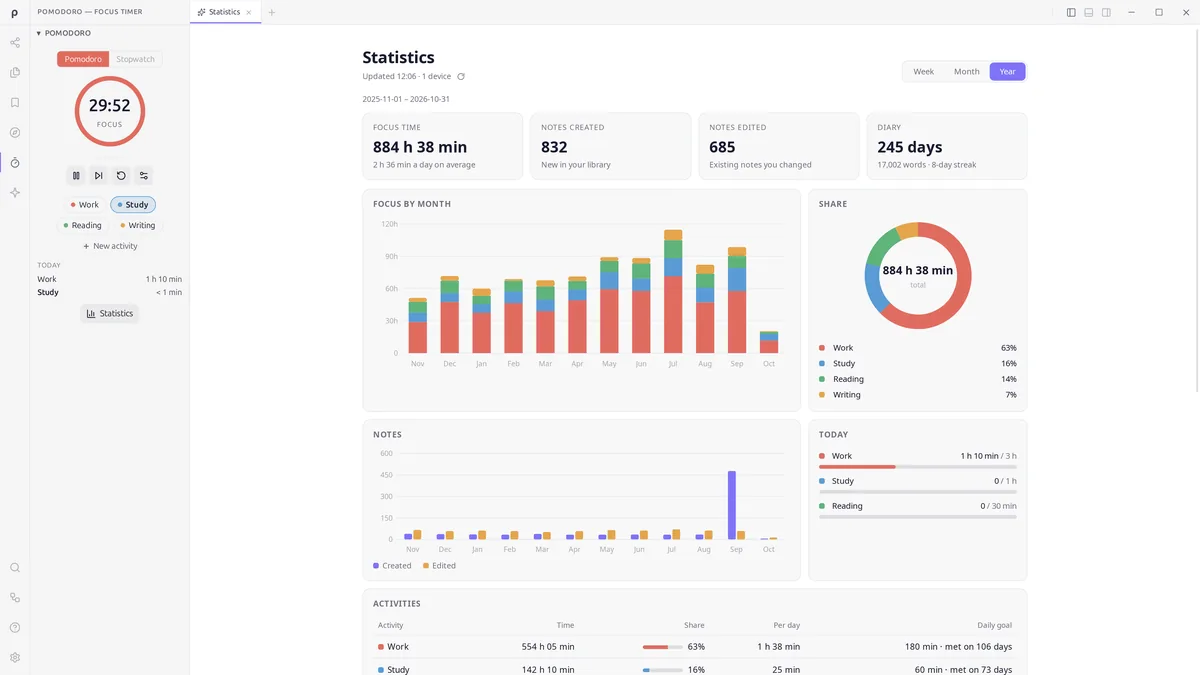
Time your work. See your focus.
- A Pomodoro timer and a stopwatch, with a button for each thing you work on
- A daily goal for each activity, and today's progress at a glance
- A statistics page: focus by day, month and year, the notes you created and edited, your diary streak
- A calendar where every day shows its focus time, notes and diary
AI assistant
Ask Rho AI about your notes.
- Ask about your own library; answers point back to your notes
- In the editor: shorten or rewrite with every change marked, find a source for a sentence, turn a table into a chart
- Turn web pages, Word and PDF files into clean Markdown notes
- Before your first message, Rho AI shows what will leave your device
- Sign in to try it. Every paid plan includes it, and there is no API key to set up.
Rho Cloud
Keep and share for free. Sync and publish with Pro.
- Store Free
- Upload documents with a free account; the app shows how much room is left.
- Share a private link Free
- You name who may open it — the link on its own grants nothing. Private links never appear in the index or in search.
- Sync Pro
- Every device you use stays in sync. Edited in two places? Nothing is lost — the older version waits in the recycle bin.
- Publish Pro
- Add a document to the public index, with search and your author page at
rho.md/@you. Reversible any time.
How it works
Upload from the app.
One command sends the document you're looking at to your cloud space.
Send the link.
Every upload gets a short link — rho.md/p/…. The readers you name can open it; to anyone else it isn't there.
Flip it public — if you want.
Publishing adds it to the index and your author page.
The line between free and paid sits where our own costs are. Prices →
Questions
Is it really just a file?
Yes. A Rho document is a plain .md file — open it in any text editor and you'll see normal Markdown with a few fenced blocks. There's no proprietary container, no database row. The file is the document.
Do my readers need an account or an app?
No account. Book wikis and published documents open in any browser at Rho Library, and Rho MD itself is a free download for Windows, macOS, Linux, Android, iPhone and iPad. (A private link asks the people you name to sign in, free, so the document knows it really is them.)
Is the format actually open?
Yes. Rho speaks AINP, published under CC BY 4.0. Anyone can read the spec, write documents, or build their own reader. The format isn't ours to lock — that's the point.
How is it different from Notion, Google Docs or a PDF?
Notion and Google Docs live on a server behind a login. A PDF is a file, but a frozen one. A Rho document is a file you can email, search and keep for a decade — and it still responds when someone reads it.
Is my data private?
The file stays with you. Rendering never loads network content — that's enforced structurally, not just promised — so opening a Rho document can't phone home. The app itself is just as quiet: no analytics, no identifiers, no automatic crash reporting. Its only unprompted request is the update check — three values (version, OS, architecture), with no request log kept, counted only as anonymous daily totals. And for documents that are nobody's business, you can password-protect them: encrypted to read, or open to read but locked to edit.
What am I actually paying for?
Publishing to the public index, Psi library sync — and the time that goes into things nobody votes for: CJK punctuation that doesn’t fall through to whatever font the system had lying around, formulas that sit on the same baseline as the sentence around them, a dark theme that still prints on white paper. None of that shows up in a comparison table. If it isn’t worth it to you, the free version is genuinely free, and we mean it.
Why is publishing paid but sharing free?
A private link costs us a few kilobytes. The public index costs bandwidth to strangers, moderation, and someone answering a takedown notice on a Sunday. The meter runs where our costs run — that is the whole reason the switch is there.
What counts against my storage?
The bytes of your .md files — embedded images included. Psi metadata and graph data don't count.
What do I declare when I publish?
An originality attestation — you confirm the work is yours to publish. It keeps the public index clean and is part of how takedowns stay fair.