
Guides ·
How to convert a Markdown file to PDF (free)
A .md file is great for writing, but when you need to send it to someone, hand in an assignment or print it, a PDF is what people expect. You can make one without copying the text into a word processor and fixing the layout by hand.
The quick way: open the file in Rho MD (free on Windows and Linux), right-click the page and choose Export as PDF…
Download Rho MD — freeStep by step
1. Open the .md file in Rho MD. Double-click it, or drag it into the window. It appears formatted: headings, lists, tables, math.
2. Right-click anywhere on the page and choose Export as PDF… (Print… just above it is for paper.)
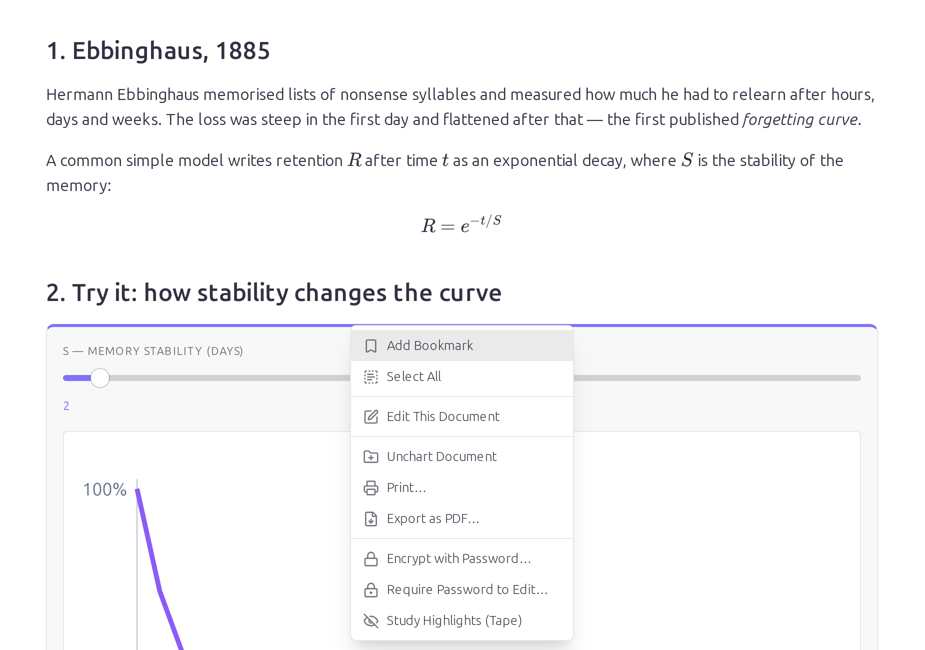
3. Pick where to save it. Rho MD suggests the document's own name and folder, so notes.md becomes notes.pdf right next to it. Click Save.
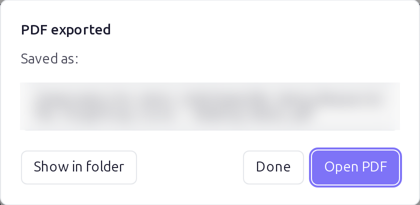
4. Open it. When the PDF is ready you can open it straight away or show it in its folder.
What the PDF looks like
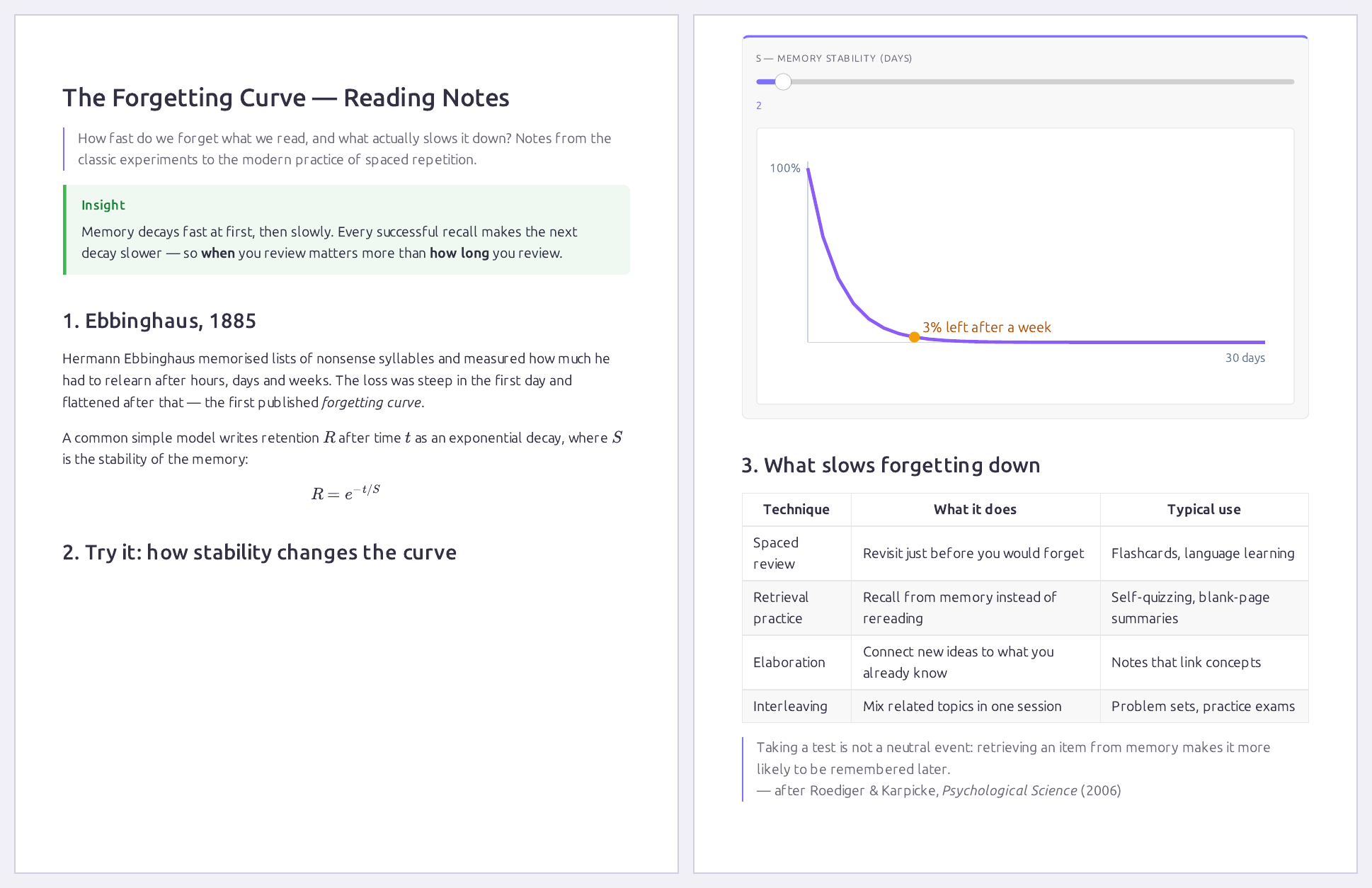
This is a three-page note exported with the steps above: the formula, the coloured Insight box, the chart and the table all come through.
A few things worth knowing:
- Charts and sliders are exported as they look at that moment. Set a slider where you want it before exporting.
- Dark mode doesn't matter: the PDF comes out on white paper with dark text.
- Long tables are kept as real tables, not cut off at the edge.
- Formulas print as math. To write or change them without typing LaTeX, see math in Markdown.
On a Mac or a phone
Export as PDF is in Rho MD for Windows and Linux. On Mac, iPhone and Android, Rho MD reads and edits the same .md files, but it doesn't make PDFs yet.
Questions
Do I need an account?
No. Rho MD is free and works without an account. The PDF is made on your computer; nothing is uploaded.
Will math, tables and diagrams survive?
Yes. The PDF shows the document as Rho MD draws it, so formulas, tables, coloured callouts and charts come out as they look on screen.
What happens to interactive charts and sliders?
They are exported as they look at that moment. Move a slider to the value you want first, then export.
I use dark mode. Will the PDF be dark?
No. The PDF is printed on white paper with dark text, whatever theme you read in.
Can I do this on a Mac, iPhone or Android?
Not yet. Export as PDF is in Rho MD for Windows and Linux.
More than Markdown. Read, write and organize notes, and export them when you need to. Rho MD is free.
Download Rho MD — free